Brainstorming with reversal #
In the previous two posts I described how I sometimes approach a problem by trying to arrange it into a matrix. Sometimes that doesn't work and I instead try to look at the problem backwards. As an example, consider procedural map generation. I often start with a noise function, adding octaves, adjusting parameters, and adding layers. I'm doing this because I'm looking for maps with certain properties.

Brainstorming with factoring #
In the last post I described how I sometimes describe a problem with a matrix, and then look at the matrix transpose to see if it gives me new ideas. Another technique I use is to look for a factoring.
In algebra, factoring transforms a polynomial like 5x² + 8x - 21 into (x + 3)·(5x - 7). To solve 5x² + 8x - 21 = 0, we can first factor into (x + 3)·(5x - 7) = 0. Then we say that x + 3 = 0 or 5x - 7 = 0. Factoring turns a problem into several easier problems.
| x | 3 | |
|---|---|---|
| 5x | 5x² | 15x |
| -7 | -7x | -21 |
Let's look at an example: I have six classes, File, EncryptedFile, GzipFile, EncryptedGzipFile, BzipFile, EncryptedBzipFile. I can factor these into a matrix:
Brainstorming with transpose #
Sometimes I get stuck and look for a way to think about a problem a different way. There are some problems that you can view in the form of a matrix/table. The structure looks like this:
| A | B | C | D | E | |
|---|---|---|---|---|---|
| 1 | A1 | B1 | C1 | D1 | E1 |
| 2 | A2 | B2 | C2 | D2 | E2 |
| 3 | A3 | B3 | C3 | D3 | E3 |
| 4 | A4 | B4 | C4 | D4 | E4 |
| 5 | A5 | B5 | C5 | D5 | E5 |
There are rows and columns, and I'm trying to work on the cells. Let's try an example from a simple game:
| Attack | Defend | Special | |
|---|---|---|---|
| Fighter | sword | armor | slam |
| Mage | fireball | reflect | freeze |
| Thief | dagger | dodge | disarm |
Generating details from map sketches #
I was pretty happy with the sketching tool from last week but I wasn't sure whether it actually produced the data I needed. I connected several separate projects together to make the sketching tool guide the generation of rivers and elevation. These projects weren't coded to work together, so the page is rather clunky, but it served its purpose. I found that the sketching algorithm needed some tweaks, and the river and elevation algorithms need some tweaks too.
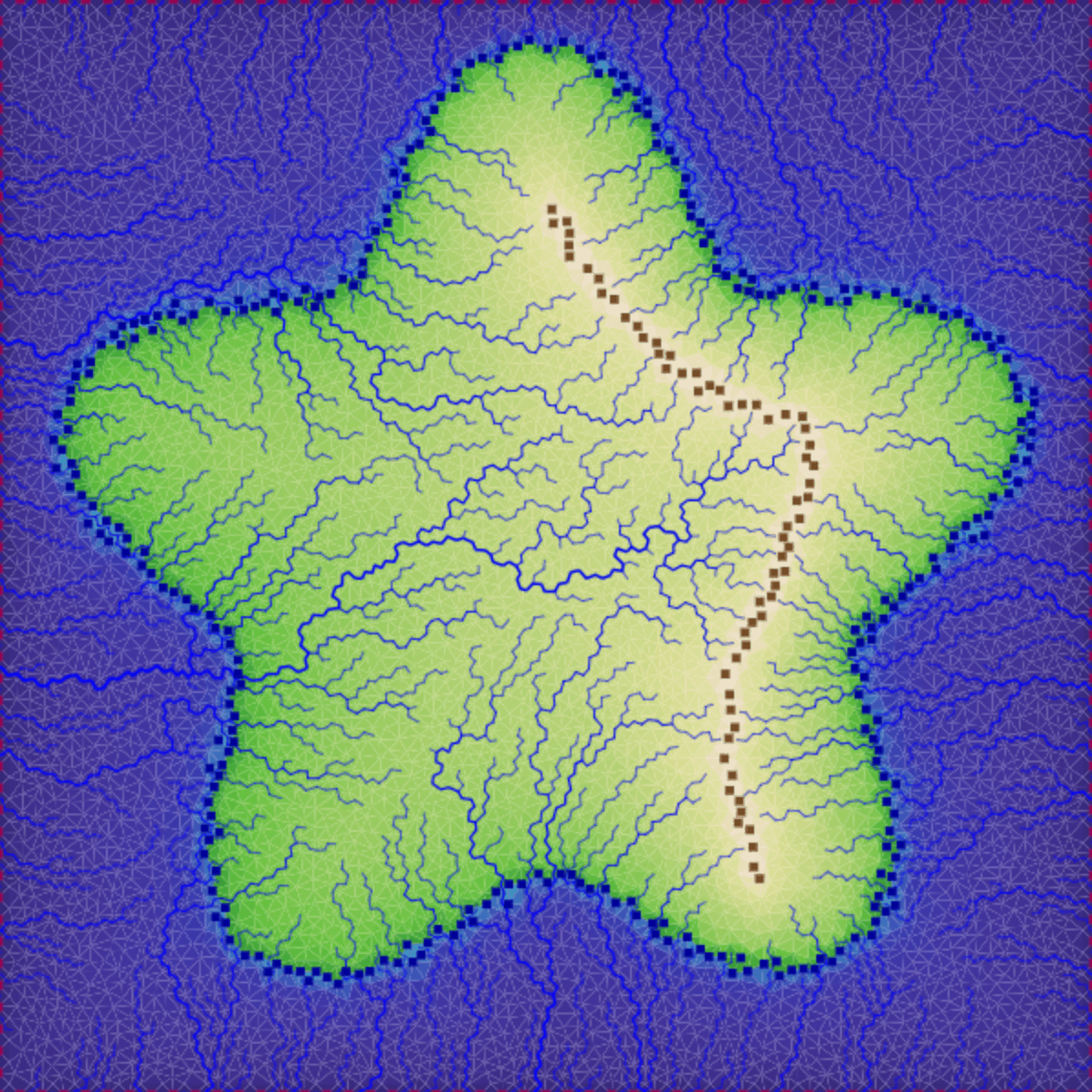
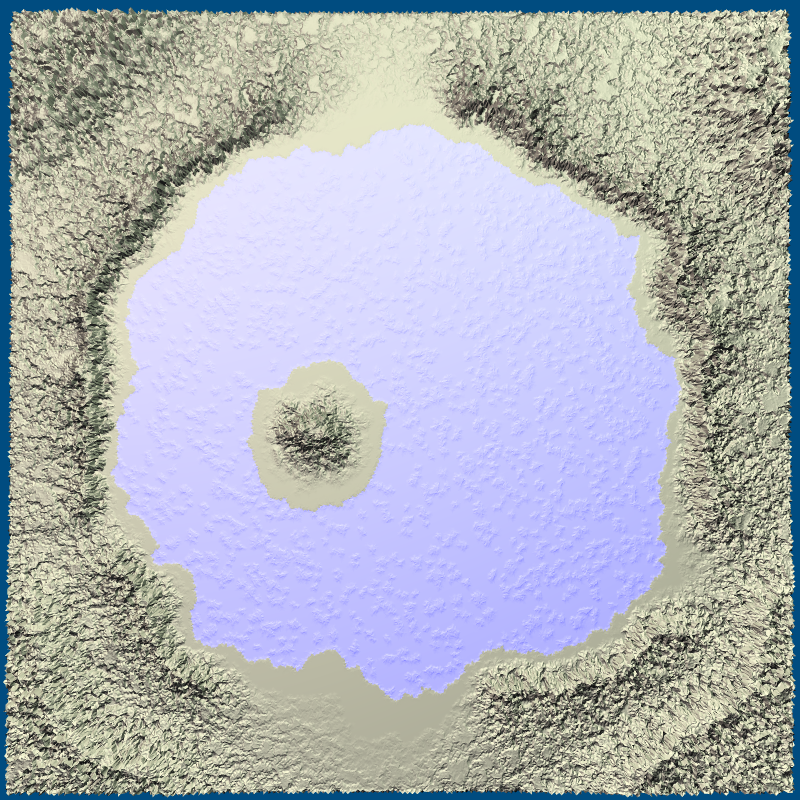
I also extended the sketch demo to let you change the boundary points, which have elevation -1. By default they're at the borders of the map. By removing them from the borders you can get non-island maps. By adding them elsewhere you can generate lakes.
Elevation control #
The main reason I put the previous experiments on hold is that one of the major goals for the current project is for the game/level designers to have some control over the procedural generation. This week I experimented with a sketching tool that lets you draw mountains and coastlines.
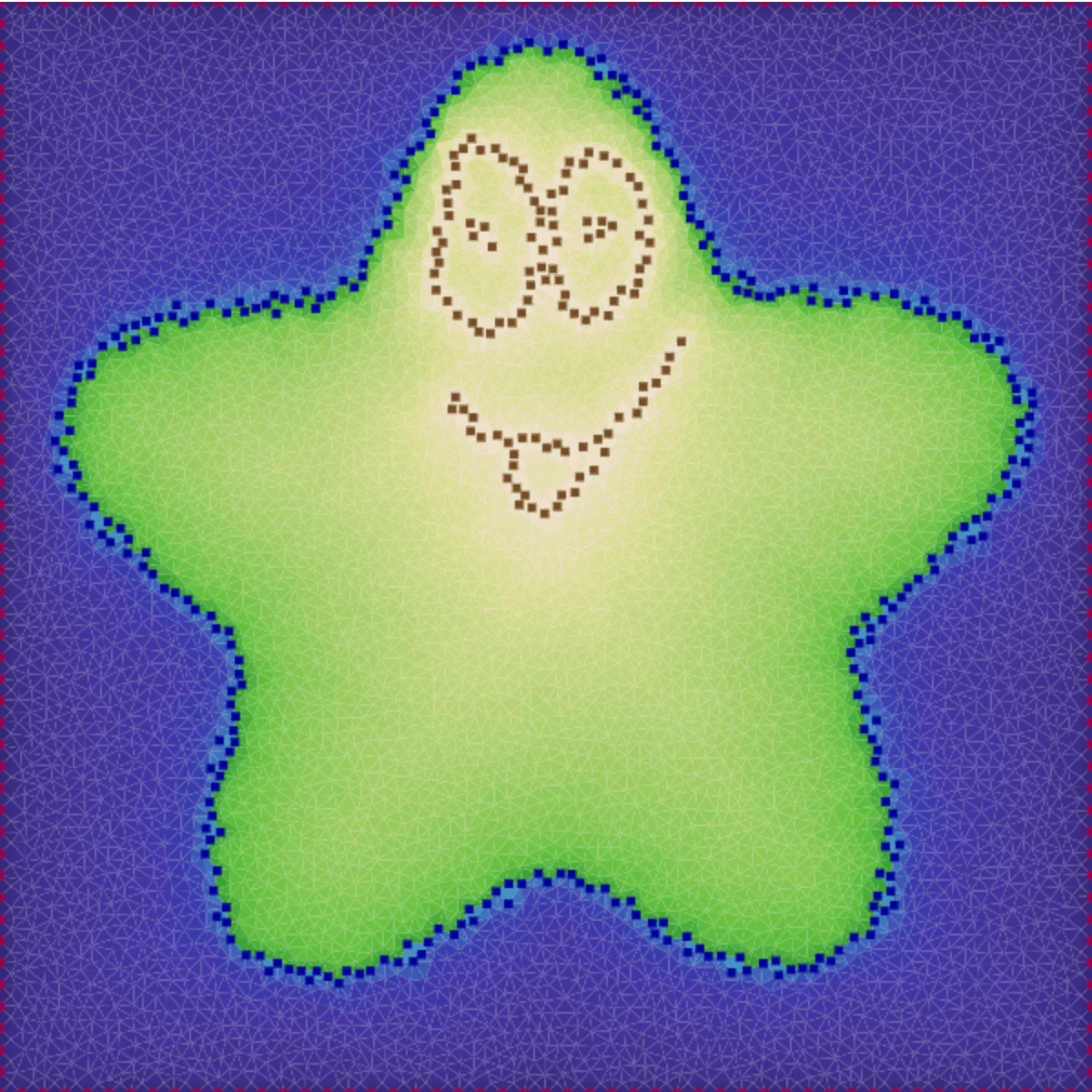
It ended up being a fairly simple algorithm that's fun to play with. The demo works on touch devices too.
Elevation from rivers, part 2 #
I had been working on generating mountains from rivers. I got some cool results, but put it on hold. I had been pursuing things based on what would be cool but had lost sight of the actual goals of the project. Some images:
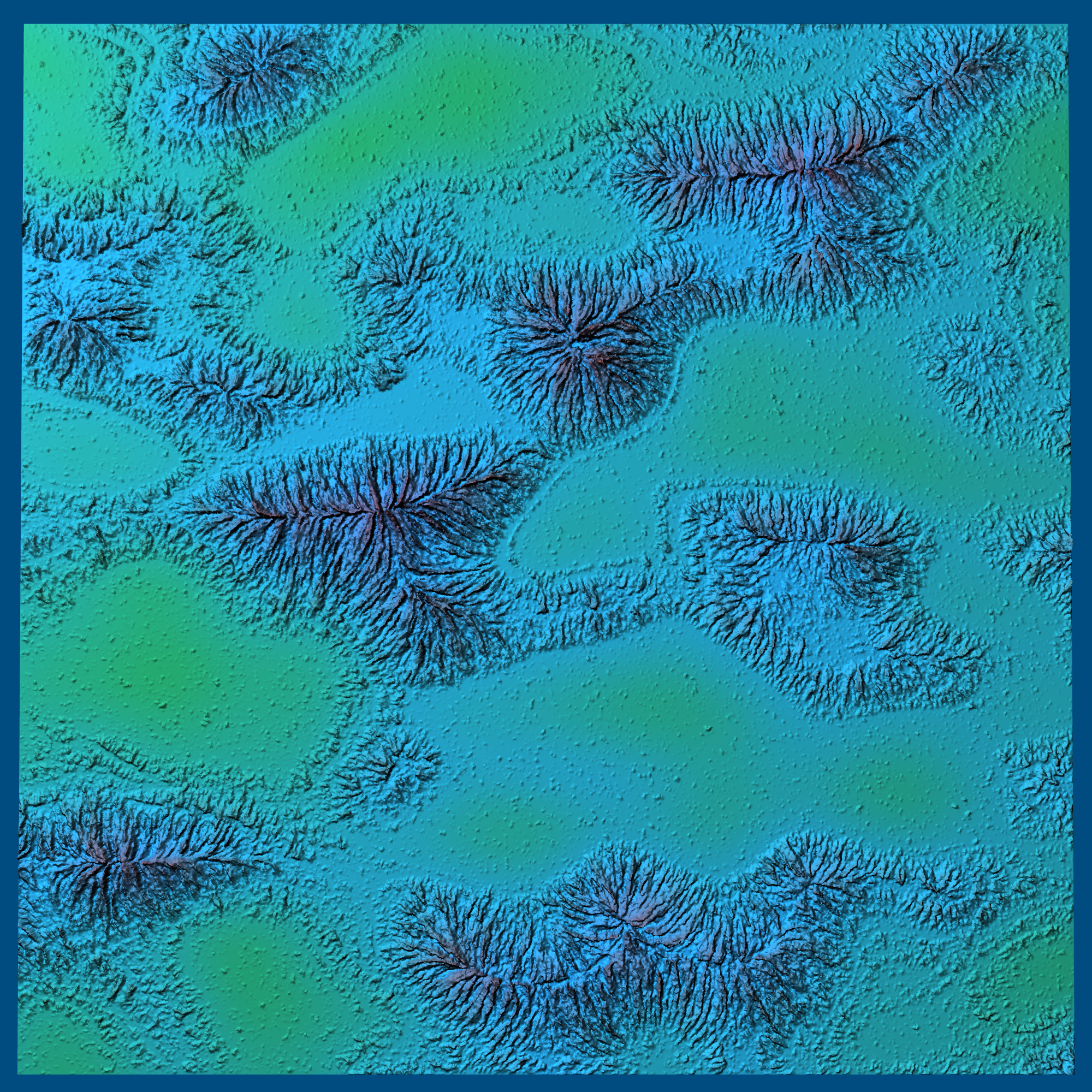
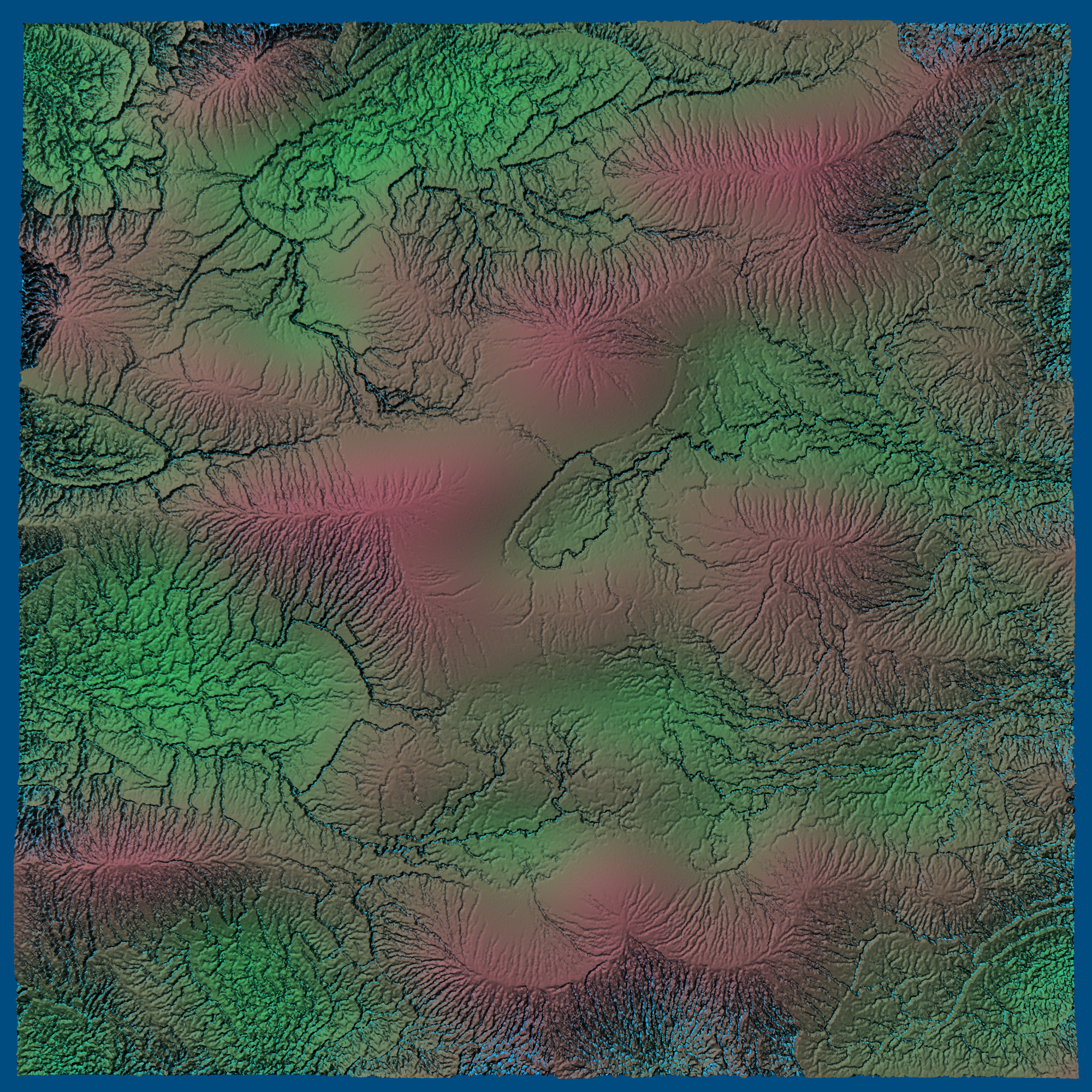
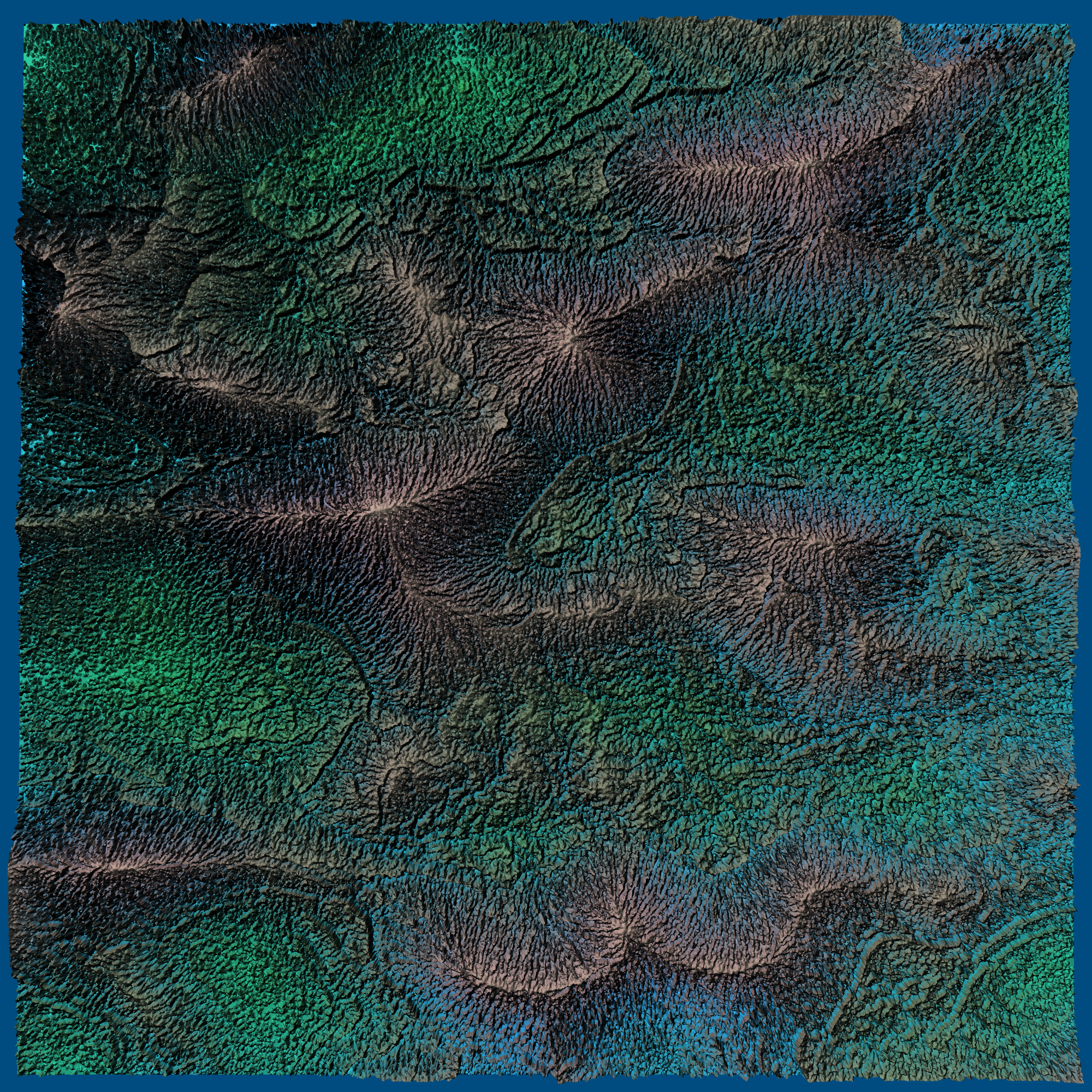
And here's the writeup. Next time — something different!
Elevation from rivers #
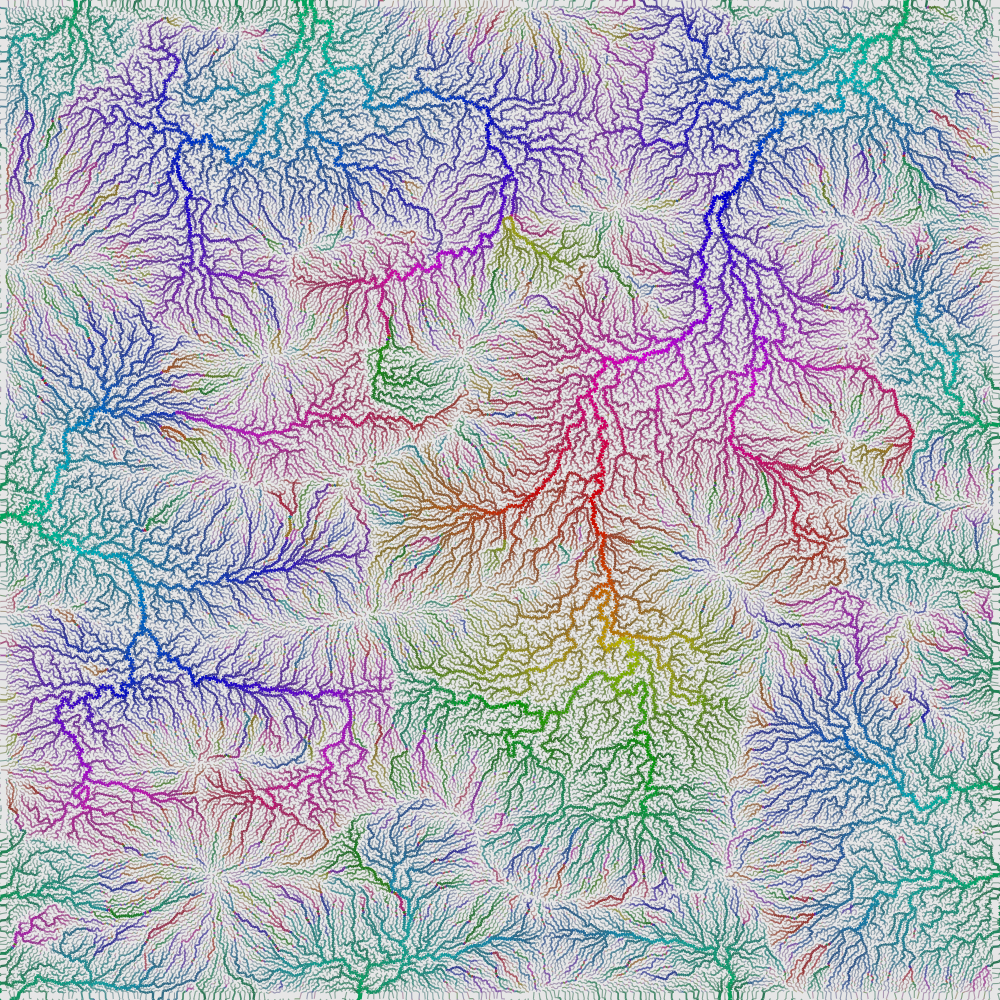
In my polygon map generator from 2010 I built the mountains based on the coastline, then made rivers flow down from the mountaintops. I’ve been exploring a different approach. Last week, I grew rivers up from the coastlines. My goal this week was to build mountains that matched the generated rivers.
Procedural river drainage basins #
In a normal procedural generator I would start with elevation, then figure out oceans by looking at where the elevation is low. For my procedural generator from 2010, I started with the oceans and then build elevation to match. Working backwards led to some cool maps. I worked forwards for rivers though, making water flow downhill, then calculating river drainage basins. I'm always looking for opportunities to solve problems backwards, so this time I'm trying to make river drainage basins first, then make the rivers flow uphill, then build the elevation to match. This paper is part of the inspiration. I'd also like to be able to place some of the rivers and have the system figure out where the rest of the rivers are.

Procedural name generation using pronunciation changes #
Update: [28 Nov 2016] I had written this blog post quickly, without really explaining the context; see my notes for a better explanation.
People have used sequence-to-sequence recurrent neural networks to "translate" words into pronunciation for speech synthesis. I have been trying to go the other direction. I was inspired by the name "Daneel Olivaw" in Asimov's stories. It's similar to "Daniel Oliver" but it's a little different. The idea is to take English names like Susannah, Michael, etc., convert them to pronunciation phonemes, alter those phonemes in some way (such as the Great Vowel Shift of Middle English), and then convert the altered pronunciation into a new spelling. Then someone could use these new names for a story or game.
I think of it as a "Spelling Bee" neural network. It hears the name and has to come up with a spelling for it. Unlike a regular spelling bee, this is for made-up words. These are results I've gotten so far:
- Changing the N in Jennifer → Jemifer Gengnifer Gethopher Jeffepher Jessifer Geshifer Gethopher Jeviffer Jesapher Jesifer
- Changing the C in Christopher → Bristougher Dristofer Gristopher Prestofer Tristofer Threstougher Fristopher Srystofer Shrystofer Thristopher Vristofer Zristopher Ghrystofer
- Changing the first E in Stephanie → Stophony Staphony Stophanie Stophony Stophony Styphony Sterfaney Staphony Stiffony Stephony Stophani Steuphony Stuphony Stuphony
- Changing the IE in Daniel → Danall Danall Dannell Dannall Danhowl Danile Danelle Dannerl Danail Dannyll Danielle Danole Danoyle Danule Daneule
I'm also going to try prefixes and suffixes. It's been a fun mini project. I got to learn some TensorFlow and recurrent neural networks, even though for the most part I'm just patching together code I've found without really understanding it. The results so far seem like plausible spellings for words, but most of them aren't sufficiently name-like.
Something that I hadn't thought about before: there can be lots of different spellings for the same sounds in English (what a messed up language!). For example michael → M AY K AH L but the AY K AH reverse maps to ichae in michael, icu in bicuspid, ica in formica, iche in lichen, yca in lycan, yco in glycogen, yche in psychedelic, yc in recycle, so which of these "should" it be using when spelling that sound? How would the neural network be able to learn something if there isn't a good answer?
See my notes for a longer explanation of what I was trying to do.
Prospect theory and utility functions #
(Note: I'm going to try writing more unpolished things on this blog and leave the polished articles to redblobgames.com.)
The utility functions I learned in economics are history-agnostic. They look at the current state of the world and calculate a “utility”. For example, you might say the utility of money is the logarithm of the amount of money you have.
Prospect Theory says that this view of the world does not match how people actually behave. Instead, the history of how you got to a certain point matters in how you value it. There's an asymmetry around a “reference point”:

(credit: Wikipedia, Prospect Theory page)
Consider these scenarios:
- You get $200 and have a 90% chance of losing $100 of it.
- You get $100 and have a 10% chance of gaining an additional $100.
These are mathematically equivalent. Both have a 90% chance of giving $100 and 10% chance of giving $200. However, they are not equivalent to humans. That's because humans consider not only the final result but how it was reached. Having $200 and then losing $100 feels different from having just the $100 in the first place. Even though the outcomes are the same, the reference point is different, so it feels different. Prospect theory takes this into account somewhat.
In game AI, I've only used regular utility functions. However, it seems reasonable to try using prospect theory in some way. Even prospect theory isn't complete; there are more human behaviors in decision making and valuation that it doesn't account for. Maybe FTT or something else. But sometimes you want to balance simplicity and comprehensiveness. In any case, it's something I'll want to ponder the next time I'm writing AI evaluation functions for NPCs.
Playing with the dot operator #
Normally the “[]” operator is used for extracting an element out of a sequence. Sequence[Index] turns into *(Sequence+Index) in C. And since + is commutative, it’s also Index[Sequence]. Yes, you can write 3[a] and it’s the same as a[3]. Is that useful? Probably not. But it’s interesting.
I want to talk about the “.” operator. It’s taken for granted, like “[]”, but I think it’s interesting to question how it works.
Normally the “.” operator is used for extracting an element out of a record. In Python it’s two hash table lookups. Given a.x you first look up a in the current namespace (stack frame) to find a record, then look up x in the record. In many languages one or both of these steps are optimized, but I’m going to explore the straightforward unoptimized implementation.
Field lookup
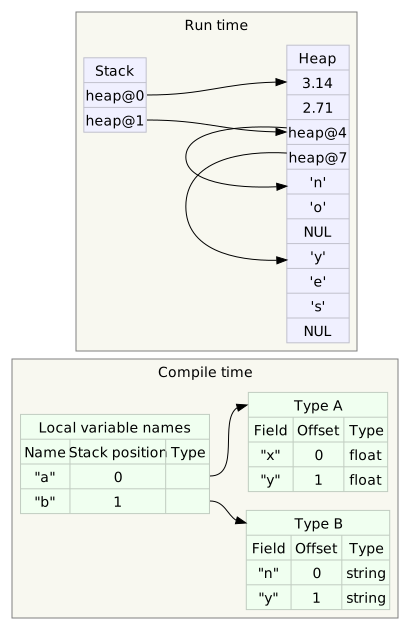
Let’s consider field lookups a.x, a.y, b.n, and b.y. (Note: for simplicity I’m conflating variable names and record ids in the diagrams and sample code but they’re really separate things.) Here’s the conventional view:
In code, we can think of it like this (Python syntax):
values = {}
values["a"] = {}
values["b"] = {}
values["a"]["x"] = 3.14
values["a"]["y"] = 2.71
values["b"]["n"] = "no"
values["b"]["y"] = "yes"
We think of the record as primary and the field as secondary. But does it have to be this way? One of the reasons this layout is preferred is optimization. In a language where record types are known, mapping from field name to offset in the record can be resolved at compile time (like this). This means we can use a simple dereference instead of a hash table lookup. For this blog post however I’m going to ignore optimizability and instead look at the alternatives.
Combined lookup
What if we put both the record id and the field name into a tuple, and made them siblings in the lookup process?
In code, we can think of it like this:
values = {}
values[("a", "x")] = 3.14
values[("a", "y")] = 2.71
values[("b", "n")] = "no"
values[("b", "y")] = "yes"
Are there any downsides to this, other than optimizability? It’s a little more work to enumerate the fields of a record but you can mostly do the same sorts of things with this implementation as you can with the conventional implementation — lookup, assignment, field insertion, field deletion. This approach may be useful in some situations but I didn’t pursue it.
Record lookup
What if we made the field name primary and the record id secondary? Back in the 1990s when I was into programming languages (I’ve since recovered), I played around with this idea.
In code, we can think of it like this:
values = {}
values["x"] = {}
values["y"] = {}
values["n"] = {}
values["x"]["a"] = 3.14
values["y"]["a"] = 2.71
values["n"]["b"] = "no"
values["y"]["b"] = "yes"
One interesting idea that came out of this experimental language was the idea that the field name could be local to a module or function. (See also: symbols in Lisp packages.) With this feature, you can attach fields to records without needing subclassing. (Ruby’s mixins are some like this except they only allow methods, not data.) Records become only IDs; all the actual data is attached from the outside. (See also: database normalization.)
Imagine being able to attach per-module fields to objects. Imagine being able to treat a “field” just as you might treat an “object” in a regular language: take fields as function parameters, return them from factory functions, import/export them with modules, store them inside objects, etc.!
Use in games
Is this useful in games? I think so. I think it might be related to what entity/component systems are trying to build without having direct language support. The entities are the records and the components are the modules and local data. Consider this data:
Object-oriented systems organize this by column. There’ll be a soldier module that defines a class with x, y, and health, and a beacon module that defines a class with x, y, and color. There will probably be a game object superclass that contains x, y.
When you treat fields as first class constructs in the language, you organize this differently — by row. You’d put the x and y fields into one module, health into another, and color into a third. Code that works with soldiers would import the position and health modules. Code that works with beacons would import the position and color modules. And code that works on either would only import the position module. You can mix and match features — for example, an object with both health and color takes no additional classes or code in this system, because health and color are in separate modules. You keep traditional syntax like soldier2.health; it’s just that health might be a local field instead of a global one, visible only in modules that have imported the health field. You can attach local fields to records at run time and detach them when no longer needed.
It’s quite possible this system wouldn’t work out in practice. I never finished my programming language so I can’t point to a concrete test of the principles described here. The ideas from the experiment have definitely influenced how I write code; that’s the outcome I hope for when exploring an idea. It’s fun to take something mundane like “.” and ponder how else it could work.
Labels: ideas , programming
Crafting graphs #
I’ve only played a few games with crafting, but the basic approach seems to be that I collect some materials and then combine them into what I want to make. In some games the recipes are in the game; in others I have to find them on a wiki. Many games have multi-step crafting, where I can use a crafted item as a material to craft another item.
In a game where I find crafting materials randomly (e.g. Dungeons of Dredmore), the question I want to answer is which of these items do I want to make with what I have, or do I want to wait?. For example, if I find a Gel in Terraria, this is what I can make, sometimes by combining Gel with something else:

In a game where I can choose to find materials (e.g. Terraria) or buy materials (e.g. World of Warcraft), the question I want to answer is what materials do I need to make what I want? For example, if I want a Hero’s Hat in Terraria, this is what I need:

Both of these are subsets of a crafting graph, which may be rather complex and difficult to show on the screen at once. This is an approximate graph for Minecraft crafting:
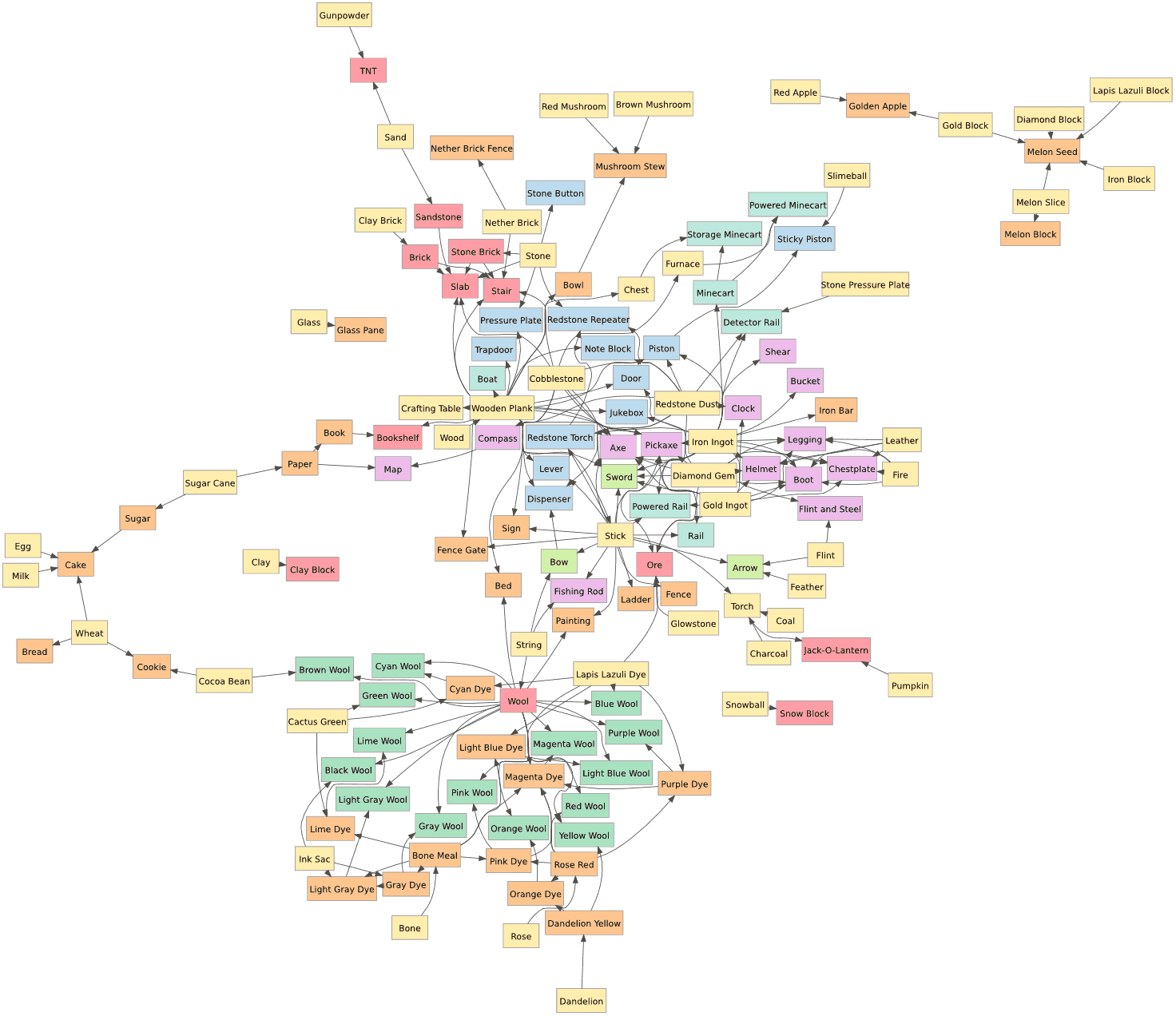
I either want to look forwards from the materials I currently have or I want to look backwards from the items I want to make. Games typically give me a UI that only shows a single step forwards. They can’t show the entire crafting graph because it’s typically too complex.
I’d like better ways to interact with the crafting graph:
- In games with a complex crafting graph, help me explore it in the game so I don’t need to use a wiki to find the information.
- In games where I’m discovering crafting recipes, help me track what I’ve learned and what I’m missing.
- In games where I’m able to pick which materials to find, help me track goals like “make Hero’s Hat” that translate into subgoals like “find 9 seeds from the Jungle”.
- In games where I’m unable to pick which materials to find, consider adjusting the loot drop rates to favor materials that would be useful for the goals I’ve set.
In the good old days, RPGs didn’t explicitly track the map or quests for you. Instead, you did it yourself, on paper. These days, RPGs have removed much of the mundane aspects of tracking things by automatically remembering things for you. There are nifty interfaces for maps, skill/tech trees, quests, subquests, lore, and so on. I’d like to see that sort of thinking applied to crafting.
Labels: ideas
Varying game difficulty #
Contrast is commonly used for visuals and sometimes for music but you can also use it for game difficulty. The usual pattern in nature is slow rises and sharp falls.
- The stock market tends to slowly go up and occasionally drop dramatically.
- When you build a sand castle on the beach, you slowly make it larger, and then suddenly a wave destroys it all.
- Forests grow slowly, and once in a while a fire will wipe out large sections of forest.
- Stress slowly builds up in rock faults, and then an earthquake will suddenly release a large amount of stress.
In games we see this same pattern. Think of how many games you've seen that start off slow, build up, and then have a “boss” fight, followed by the relative calm of the next area. The difficulty or excitement might look a lot like a stock market plot.
One major difference between games and the patterns in nature is that you can't always predict the falls in nature. I've seen some games where a boss is unexpectedly followed by another boss, but usually you roughly know what's going to happen after a boss fight. In games where encounters are dynamically generated, it might be interesting for the encounters to follow a pattern like those seen in nature. More randomness with slow increases and sudden drops could make games more exciting.
Parallel World Simulation #
When playing long simulation/strategy games like SimCity, Roller Coaster Tycoon, or Civilization, I often have “what if” questions: what if I built an airport there? what if I invaded Albania? what if I switched to solar power? what if I built extra police stations?
My usual answer is to just keep wondering. However if I'm very motivated I can save the game, try something, save it again, go back to the first save game, try the other option, and then compare the results. It's rather tedious, so I don't do it much.
It might be interesting to bring the “what if” gameplay into the game itself, instead of being outside of it, as save games. Games like Chronotron and Braid allow you to go back and try something else, and even see past paths while you're playing through again. Halo 3 heatmaps aggregate information from a huge number of games. I think these ideas apply to simulation/strategy games too.
Imagine if you could “split” the timeline into two and watch parallel worlds evolve simultaneously:

If it's just a matter of running parallel worlds, I could do this by running the game twice, in two side by side windows. However if it was integrated into the game there's some potential for interesting gameplay:
The game could run two worlds all the time. Every 5 minutes the game could ask you which world is better, and then copy that world to both windows. You could run experiments but they're all limited to 5 minutes. You'd be able to learn by experimentation and then use that knowledge in the future.
The game could run one world most of the time, but then in a world-splitting event, split into two. In one world you'd be asked to destroy; in the other, to build. You'd gain bonus points for maximizing the difference between the worlds.
The game could let you play in one window and show in the other window the accumulated plays from your previous games on the same map, or perhaps from other people's games. Differences in play would be highlighted, and you'd gain points for novel play styles. In Halo, you might get a bonus for a sniper shot from a location where few people succeed making a sniper shot.
In a multiplayer setting, each player could play in her own world for a few minutes, and then the game would ask everyone to vote for their favorite world other than their own, and then that world would become the baseline for the next round of play. It might be possible to integrate this into a Facebook game that you play asynchronously with your friends.
If playing against a computer AI, it might be fair to let the computer player occasionally choose which world it prefers. The strategy would then be to set up a world that appears to give you a disadvantage without actually doing so. The Chess equivalent would be to intentionally sacrifice a rook in order to set up a winning move.
I'd love to see games explictly tackle parallel worlds, individually and in aggregate.
Storytelling with Comics #
In my post about drawing ninjas, I mentioned that I had an idea for blending comic books and games, and I was trying to figure out where that idea came from. Most of the ideas I have are combinations of other ideas, and occasionally they're an idea I saw a long time ago, absorbed, completely forgot about, and then had it surface again. I think this idea was sparked from a combination of things:
After reading Scott McCloud's Understanding Comics, the comparison of time and space stuck in my head. Games, videos, and audio present a sequences temporally, but books and comics present those temporal sequences by laying them out spatially. Are there games that use the spatial layout of time?
I played Passage, a game that represents time as a spatial dimension.
I played A Tale in the Desert, a massively multiplayer game in which a story unfolds from the collective actions of players. I had also played World of Warcraft, in which all the regular monsters get reset too often to make a lasting difference, but even there I saw story-worthy events (huge raids on cities, large social activities). But how are these recorded?
I got a new computer, which came with a neat little program called Comic Life. This application makes it easy to create comic strips and add thought/speech bubbles.
I played Oblivion, in which I'm playing through a story. The quest NPCs know what part of the story I'm on, and can react appropriately. But it's a big open world and I can do lots of things, including side quests for various guilds. Unfortunately the tale of what I actually did isn't anywhere; what's encoded in the game is what I'm supposed to do on the main quest.
The Sims and Spore are also storytelling games but the stories I read were outside the game itself. In strategy games, I want to see the history of battles on the map. In adventure games, I want to see the history of my progress, not only successes but also failures. Sports games aren't just about who won but about the great events during the games. In Chess I often want to see just the key moves that turned the game. Some of these games have timelines or replays or screenshots, which help with what I'm looking for, but they don't go far enough.
Comic books seem like a nice medium for recording history. At the extreme, I could imagine using the comic book format for both the history and the “live” game. The rightmost panel would be the game, and the other panels would show what you've done:

As you play, “screenshots” of the significant events turn into static panels, which scroll off to the left. At the end of each chapter/level you can go back and see the history of what you did. At the end of the game you can go back to see the entire game history, and then if you want, you would annotate it (with speech bubbles etc.) and share it with friends. You could click on those panels to show a replay of that event. The are plenty of open questions here: what are the most significant events? What screenshot do you pick to convey the event? How many events do you want to capture? Should you ask the player to replay the event and pick the best point? Does this format give people enough context to understand the story? Will anyone want to share these stories?
It was with that idea in mind that I started working on the ninja animation. However, I lost interest in that (I seem to lose interest in lots of things I start) and don't know if I will ever return to it. I still think keeping history and stories hasn't been explored enough in games, and in just about every game I play, I can think of features that would help with history/stories. Storage has become very cheap; let's record a lot more.
Update: [2012-04-02] See Storyteller, an interesting experimental game that's based on directly manipulating comic strips to build a story.
Update: [2017-03-08] Final Fantasy XV uses photos of significant events to tell a story.
Labels: ideas
Following multiple paths in RPGs #
Last year at GDC I was talking to the Wild Shadow Studios guys about traditional classes in fantasy RPGs (ranger, wizard, barbarian, cleric, etc.). Some of our complaints about classes in many multiplayer RPGs:
Classes come with roles such as “tank”, “healer”, “ranged”, “melee”, “crowd control”, etc. If you want to join a group that needs a tank, but your class is about melee damage, you can't join the group.
The beginning of the game is a bad time to choose a class, which impacts you for the entire game. It's too early in the game to know what style of play you might like or what kind of roles are needed/useful. By the time you can make this decision it's too late; you've already invested lots of time into the game. Either you throw all that away or you keep playing the class that's not best for you.
Every class's play style can be considered “content”, and by choosing just one the player is missing out on other styles of play. As a game developer, if you have 5 classes, and players only play one of these on average, you're spending a lot of money on “content” that most players won't see, especially if armor/weapons are written for just a few classes in mind.
In Diablo 2, you picked a class but you could also customize that class by choosing skills as you level up. For example, Barbarians could choose skills such as Taunt or Double Swing. The skills had level requirements and prerequisites; for example, Double Swing was only available if you already had Bash. The trees were divided into three specialties per class; each of these effectively acts as a sub-class, so you had 15 styles of play instead of just 5 classes. The skills available to you were fairly limited at the beginning of the game, so you're not overwhelmed, and you don't have to make your choices at the beginning. This partially addresses complaint #2.
In Guild Wars and Titan Quest, you get to pick two classes. Multiclassing has been around since the D&D days, but these two games makes two classes the default and one class an option. Multiple classes can help with complaint #1, since everyone has two roles. It also helps with complaint #3, by adding lots of variety without having to create new content around it.
In Silverfall, World of Warcraft, and Titan Quest, I can change my skills later in the game, but not my class. WoW also has hybrid classes such as druid and shaman that can perform multiple roles. This also helps slightly with complaint #1, but it's quite a hassle. (Recently, WoW introduced “dual specs”, which help quite a bit by letting you set up two sets of skills that can be swapped with one button.) Being able to change my skills later greatly increased my desire to experiment. In Diablo 2, I would pick skills based on the recommendations of others. Decisions you can't change are more likely to be conservative. But in WoW, I am much more willing to try out new things, because I can undo them.
In Dungeon Siege II, there are skill trees but no classes. You essentially define your class by choosing skills along the way, but you don't have to decide anything at the beginning of the game. Titan Quest also delays the decision-making of your first and second classes. Either approach addresses complaint #2.
Another way to address all three complaints is to have more than one character, each one trying out a different class and play style. But when playing these characters, you start over from scratch.
What I'd like is (a) delaying decisions about classes/skills, and (b) allowing trying out other choices after I'm “finished” with my current class. So here's the idea: as you progress in the game, you are given choices of specialties. If you later master multiple specialties, you can become a generalist. Here's a diagram:

After you've played for a short time, you get to choose weaponry or magic. I choose weaponry. After playing more and leveling up with weaponry skills, I am able to specialize again, and I learn melee. After learning all the melee skills, I specialize in swords. After a few more levels, I am now fully specialized by mastering swords, and there's no more for me to learn. This is the equivalent of “level 80” in WoW.
At this point, it's time to try the branches I hadn't tried. This could either be by starting over with a new character at the novice level; or it could be by restoring a previous savegame where I was still at weaponry (playing a “clone” in a scifi setting), and choosing the ranged path instead; or it could be by using my current character to go back and learn ranged attacks. I don't know which of those approaches would be best for a game. In any case, I'm now trying out other play styles, just as with current RPGs.
Where this design differs is that there's something gained in-game by learning multiple specialties. This is the lower half of the diagram. If I master both the sword and axe, that unlocks the halberd. If I master both ice and death magic, it unlocks wizardry skills. By playing and mastering all types of characters, I become a Master.
An open question is how you handle the huge number of skills once you've pursued multiple paths. Titan Quest and Guild Wars limit your classes to two, so that it's not too bad. WoW lets you have two sets of skills, and you can swap back and forth at any time. Guild Wars further gives you a fixed number of skills at any time, and you can swap these out when you're in a major city. In a scifi setting, such as a robot or spaceship based game, you could assign the skills to the robot/vehicle you're in, and then jump into a different robot/vehicle to swap skills (Wild Shadow Studios is working on a tank-based MMO that does this). Choosing sets of skills before you go into combat seems like a reasonable way to limit the complexity, and also encourage planning ahead.
This skill graph addresses complaint #2: you don't have to make permanent choices at all, and the choices you make come after you've been playing the game for a bit. It also addresses #3: there's a path for the player to experience all the “content” the developers create. It partially addresses #1, by allowing you to play different roles at different times. Novice players can follow a recommended path to specialize in just one “class”, whereas experienced players can experiment more and try out new combinations. I think it could be fun to play with such a system, but I'm not planning to write an RPG any time soon.
Transport Tycoon: modular airports #
I have been playing Transport Tycoon for a long time. It's my all-time favorite game. TTDPatch is a very impressive set of patches for the game, adding lots of new features that seem like they would be impossible to implement in a patch, especially by authors who don't have access to the source code. Open Transport Tycoon is an open source port/recreation of the game, and it's what I've been playing lately.
In Transport Tycoon your goal is to build a transportation empire using buses, trucks, trains, airplanes, and ships. The part I find the most fun is laying out tracks, railroad stations, and train signals. I think most of the players spend most of their time on railroads for this reason. I think I would enjoy the airplane and ship parts of the game more if I had some control over layout. All you can build right now is 6 predefined rectangular airports and 1 ship dock.
For several years on the Open Transport Tycoon forums, there's been talk of “modular” airports that would allow players to place hangars, runways, taxiways, and gates to build their own airport. However, airports are implemented with finite state machines that carefully manage multiple airplanes in holding patterns, landing, taking off, taxiing, going to hangars, and stopping at gates. Richk67 has created an impressive patch for custom non-rectangular airports. However his experience has been that the finite state machines are just too complex for players, and his patch is instead aimed at people making addons. Pikka has an alternate proposal, but take a look at the example state machine code for the simple airport. That's way too complex to make players deal with. There have been others who have argued that it should be possible to let players do this, if the GUI was good enough. However, Richk67 actually wrote some code and implemented custom airports, whereas most of the posters are just talking about proposals or ideas, so I generally believe him when he says that the finite state machines are too complex for most players.
My hope however was that there would be a completely different
approach to airports that wouldn't involve the complex finite state
machines. Playing with path based
signals, a new feature
in OpenTTD 0.7.0, has made me more optimistic. With the signals in the
original Transport Tycoon, a train made a decision when it reached a
junction with signals. The third party patches added new kinds of
signals, including allowing complex logic in TTDPatch. Path-based
signals work quite differently. Trains reserve tracks ahead of them
and only proceed if they can make a reservation. Can we apply the same
idea to airports? Instead of following a fixed state machine, we might
be able to reserve space ahead of the airplane (landing flight space,
takeoff flight space, runways, taxiways). I had only just started
thinking about this problem when I came across Dimme's
demo of a
proposed player-created airport system using airplanes reserving space
they want to use. In the demo (a Java app), you can place gate,
runway, taxiway, and other tiles to build an airport, and then run a
simulation to see how the airplanes use it. It's quite impressive!
(Note: I couldn't get the jar file to run on the Mac so I had to
recompile it myself, but it ran fine.)

A station I made with Dimme's demo
Dimme's demo shows that there's a different way to build airports that may not lead to the same complexity as the finite state machines. MarkyParky, who works with airports in real life, has good things to say about Dimme's demo, but also talks about holding patterns, which turn out to be more complicated than I imagined. I don't think that realistic holding patterns are necessary but it's something to think about. In any case, I don't think any of the discussions are going to go anywhere. Richk67's patch is the only code I saw, and as far as I can tell, the main developers have rejected his patch. Dimme demonstrated an alternate approach but there's no proposal for how to make it work within the OpenTTD code.
Dimme's demo is good. It's simple to use, it demonstrates the idea, and it lets you actually try building an airport to see how it works. After playing with it, I decided I wouldn't build an airport building demo. I think my ideas aren't different enough to make it worth it. However, his demo reminded me that I should be building more demos of ideas I want to explore. Coming up with ideas doesn't teach me as much as trying them out.
Update: [2012-08-18] There's a modular airport mod for Cities XL.
Update: [2019] It's ten years later and we now have some airport simulation games! Check out SimAirport and Airport CEO.
Labels: ideas
Animating stick figures #
For about 15 years now I've wanted to do something with stick figures. I never knew what. I just wanted to try animating them. The games I like tend to be isometric or top-down views; I generally don't like first person or side views. As a result, stick figure animation just never seemed useful enough to put into one of my games.
While reading Scott McCloud's books about comics a few years ago, I had an idea blending comic books and games, and it just happens to be a good fit for stick figure animation. I'm not sure I want to pursue it, but since I had spent so much time on the spaceship physics and editor, I thought it'd be a good break for me to take a break and take a look at stick figure animation. If it turns out to be fun I might explore the comic book idea a bit more.
The other thing that I've been wanting to explore is the ninja side of the pirates vs. ninjas theme. Sure, we have Ask a Ninja, but overall I think the pirates have gotten far too much attention. There are several pirate-themed games, like Sid Meier's Pirates, Puzzle Pirates, and Tropico 2 Pirate Cove, but not so many for ninjas. Talk Like a Pirate Day gets plenty of attention but the equivalent for ninjas just doesn't compare. Only the Somali pirate attacks are hurting the pirate image. So if I write a stick figure animation game, the protagonist will be a ninja fighting the evil pirates.
How am I going to make my 2D ninja stick figure move? There are are lots of approaches to character animation: forward kinematics, inverse kinematics, physical simulation, “ragdoll” physics, motion capture, etc. My goal was to make something simple and reasonable without putting in much artwork (motion capture or hand-drawn animation). My hope was that a 2D stick figure would take much less effort than the full 3D motion systems.
I wanted to try the simplest approach first, using basic geometry to move the legs. The hip and knee angles tell me where the ankle will end up. If I know where I want the ankle to be, I should be able to find the hip and knee angles. I tried approaching it as a gradient function, using hill-climbing to reach the solution, but it turns out this is overkill if you only have two angles. The femur and tibia length are known, and I know the distance between the hip and my desired ankle position. That means we know the three sides of the triangle, and can use the law of cosines to determine the angles. Simple. Ankles and wrists work out pretty nicely.
The next step was to make the figure take a step (pun intended, sorry!). I looked at some animator pages about the walk cycle I also read lots of papers about walking mechanics, including some about automatically “learning” how to walk. Along the way I discovered something cool: passive walking dynamics (see animation here), which treats walking as an inverted pendulum (your body over the supporting leg) and a normal pendulum (your free leg swinging freely). It seems to be a pretty good approximation of how people walk.
I decided the simplest thing would be to make the target ankle position follow a circle, as if you were on a bicycle, and then have the ground prevent your foot from going down. This actually looked reasonable, but the “liftoff” and “landing” of the foot didn't look right. To make them look better, I added transitions (see this page) that used the toe as a pivot point (for liftoff) and the heel as a pivot point (for landing). This definitely looked better, but the liftoff and landing have the ankle moving in circular arcs, and these don't smoothly transition into the overall circular motion. I improved it a bit more by making the ankle follow a spline that matched the arcs.
I was pretty happy with the walking animation, but several friends reminded me that in a ninja game, you're not going to spend much time seeing the ninja walk. The ninja will run, sneak, jump, kick, punch, throw stars, duck, swing, hide, and do flips, but walking? How boring. So once again I realized that I had been focusing on the wrong problem. The second thing was that my test app had a giant ninja, but in the game it'd look tiny, so all the little details like the flexing foot, the bounce in his step, or the liftoff and landing (which would be only a pixel high) really don't matter. [Edit 2008-05-13: changed “pirate” to “ninja”; thanks Anonymous for pointing out my error.]

I'm not sure where I want to go with this. The walking research papers were cool, but I didn't find research papers about gravity-defying ninja backflips. My gut tells me that the ninja doesn't obey the laws of physics, and thus I should stick to the geometrical approach instead of using a physics engine. Box2D looks pretty neat, and I'm sure I can use physics for other things in the game. But I need to first figure out how I'm going to implement ninja moves. Do I want to procedurally generate them somehow, or do I want to hand-pick the key frames? It'd be cool to generate them in a way that could take into account everything in the scene. For example, a jump kick should be able to jump on the box before jumping for the kick. But I suspect that's a lot more work than I want to tackle right now, and unless it's a key part of the game (if I end up writing a game), it's just not that important.
That brings up the question: what is the goal here? Am I doing this to satisfy my long-time dream of animating stick figures, or should I try to write a little game that can show off the comic book idea, or do I really want to write a game?
I don't know yet. So that leaves me at: I still want to do something with animated stick figures, and I still don't know what. But if I ever figure it out, I have now learned some things that might come in handy.
Labels: ideas
Game Component: Spaceship editor, part 4 #
Last year I decided that I just don't have the time and energy to work on a full game, and instead I should work on quick prototypes instead. I had planned to try an idea every few weeks. The space station generator was one of these; the spaceship editor was another. Spaceship physics turned out to be really interesting and I kept working on it. It's been months now. I have lots of other things I want to try, so I need to wrap this up, even if there's more I could do.
In the last post I talked about the physics. The final step was to figure out whether there were interesting tradeoffs that a player could make when designing a ship. I needed a spaceship editor.

I made a circle that could be dragged around with Flash's built-in draggable object feature, but I switched to handling the mouse events myself, so that I could add "snap to angle" and other constraints. It wasn't long after having a draggable circle that I made a circle for each thruster. And then two, one for the head and one for the tail. I also wanted the thruster to move as a whole if you dragged the base, but only the tip to move if you dragged the end. I overlaid these on a large version of the ship to make a ship editor. Now I could start answering the key question: are there interesting design choices?
After playing around with lots of configurations my answer was no. It's always better to put the forward thrusters near the wingtips. You don't lose any forward thrust, and you gain a great deal of rotational speed. The other thrusters were less of an issue, because they were used for less common motions.
To make this interesting I need some disadvantage of putting forward thrusters at the tips. One thing I considered was that thrusters at the edges of your ship are more vulnerable to damage. However, I don't actually have a game here, so that's not something I can easily test. So I turned to the other idea: thrusters require support that have mass. Putting a thruster far from the center requires more massive supports, which slow you down. I started with mass and moment of inertia calculations from physics, and then used tuning and experimentation to come up with something that felt reasonable. The main tradeoff I focused on is between rotational and forward acceleration, when both are from the same forward thrusters. If you move the thrusters near the wingtips, you get lots of rotation, but you need a lot of mass for the structural supports, and that slows your forward acceleration. This plot shows acceleration versus thruster distance from the center:

It shows that at least for the forward thrusters, there's a nice tradeoff between rotational and forward acceleration, and you can't get unlimited rotational power because the supports become too massive. There are lots of other things I could look at, but I think some tradeoffs depend on the game (for example, they may be completely different if the ship is in an atmosphere than if it were in space), and I'm not writing a game right now.
I eventually recognized that I could keep working on this for a long time, but I need to move on and explore other topics. I've mostly answered the question I set out to answer: if you let the player design the spaceship, are there interesting tradeoffs arising from the physics? I think the answer is yes, but probably not as many interesting tradeoffs as Spore's approach would allow. In addition, things weren't automatically interesting; I had to design a tradeoff and then tune the physics to make that tradeoff show up, and I had to be careful to avoid overpowered ships. That was unsatisfying. In a real game I imagine I'd have to manually design lots of tradeoffs for different game levels or areas of the world, and it'd be quite tough to test all the combinations. And even if I could do that, controlling sliders in a continuous tradeoff space seems less fun than picking from some really interesting manually designed items in Spore or Ur-Quan Masters. So yes, I was able to make what I set out to make, and it was fun to play with, but probably would be a lot less work and more fun to give people a few interesting choices.
The Demo
Of course after all that I should let you try designing your own ships and see what you think. Instructions:
Press T to change ships (you may have to click on the map first to get focus). The demo ships are: yellow square (4 thrusters), green square (like yellow but you can make it asymmetric), teal curved, purple curved (like teal but two thrusters are broken, so it can't fly properly), blue square (8 thrusters!), red triangle (goes fast but can't turn well). I mostly play with the yellow and blue ships.
Change the ship by dragging the thrusters and adjusting their size and orientation. As you do this, watch the graphs. The bar charts show what happens if you press one key at a time. The polygons represent your current flight envelope for two keys at a time. I find that I use the W+A and W+D combinations often, so I watch the chart in the lower left. The shaded ovals show the "target" that you want to mostly cover if you want a reasonable ship. The yellow and blue ships are easy to improve: just increase the power of the thrusters and they will fly well. The teal and red ships are slightly harder, and the purple ship is near hopeless. In a real game the number and power of your thrusters would be limited, and fuel efficiency and fuel tank size would be additional factors to consider.
Fly the ship around with W=forwards, S=backwards, A=rotate left, D=rotate right, Q=slide left, E=slide right, Z=reset position.

Try the demo.
The demo is written with Flash 10 in mind. It should work with Flash 9 but there may be some visual artifacts (due to bugs in Flash 9 that I didn't work around). There are some other minor bugs that I might fix someday.
I'm finished with the spaceship editor mini-project and haven't decided what the next mini-project will be. I really enjoyed working on the spaceship physics and editor, but I spent too much time on it, and hope to spend less time on the next mini-project.
Update: [2009-12-05] If you want to try a game that lets you create your own spaceships, check out Captain Forever. It's pretty neat.
Update: [2012-08-16] Another game that lets you design your own spaceships is Gimbal.
Update: [2012-10-15] Also see Evolving Spaceship Designs for Optimal Control and the Emergence of Interesting Behaviour [PDF], by Samuel A. Roberts and Simon M. Lucas, or watch the video.
Update: [2017-01-05] Another game that lets you design your own spaceships is Reassembly.
Update: [2019-09-17] Check out Cosmoteer, which lets you construct your own spaceships, and then the crew automatically figures out which thrusters to fire to go in the desired direction.
Game Component: Spaceship editor, part 3 #
I've been trying out a few ideas with quick & dirty demos to see if they're at all promising as part of a game. Two posts ago I talked about a spaceship editor, where you could place the thrusters, and the “AI” would learn how to pick thrusters that most closely matched your desired motion. In the last post I spent some time describing how I spent some time trying to figure out the characteristics of the ship, how I learned more about the problem I needed to solve, and some of the things I tried to find a “nice” solution to the math. I was really happy with the things I had worked on. However…
The real questions I wanted to answer were:
- Is it actually fun to fly a ship with this physics model?
- Is it actually fun to design a ship? In other words, are there interesting designs and tradeoffs?
Somewhere during the process I realized that getting the “nice” solution wasn't that important, and I had probably spent too much time on it. (Reading this article reminds me that I get distracted too easily on fun problems and I have trouble completing things.) I wasn't getting closer to answering the important questions. Instead, I was having fun learning some math that I had forgotten 15 years ago. Having fun learning math isn't bad; it's just not the main goal.

To answer the first question, I spent some time in various ships just flying around. My conclusion was yes, it's fun to fly around in a world by itself, but no, it doesn't seem like it'd be fun in an actual game, where there are other things to do. And that's when it hit me: all that time I spent thinking about the math might have been a waste of time (except that it was a lot of fun to learn some math); I should first make sure I can make the ships fun to fly.
I flew around a lot and thought about what bugged me. The main problem was that inertia was fun at first but it seemed to get annoying after a little while. For example, if I'm moving forwards with W, and then I rotate left with A, I'm still moving, but my jets are pointed at an angle. To stop moving you need to use a combination of S and Q. Even worse, since it's a keyboard instead of an analog controller, you can't hit the right mix of the two to make yourself stop.
In addition, it wasn't clear to me whether the controls should set acceleration, velocity, or target position. Acceleration was the most natural thing, and that's what I started with. But that means when you hit any key, you start out slow, then go faster and faster, until it's out of control. That might be realistic but it's not much fun. I switched it to setting velocity. But what velocity should I target? I arbitrarily chose some multiple K of the acceleration, so that after K time you'd reach that velocity.
I also needed to do more tuning. The mass, moment of inertia, friction, and rotation/translation tradeoffs are set arbitrarily. I had tried adjusting this but none of the parameters were quite right, and every time I changed the physics it got worse, and I had to tune to make it better again.
I tried to answer the second question (whether there are interesting ship tradeoffs) by creating several ships. Based on that experience, my answer is maybe. The ships I made are noticeably different but I have a clear favorite. If there's only one best ship then the ship editor's not going to be interesting. The problem is that the answer to the second question depends on what I do with the physics.
So I decided to work on the physics first.
I tried tackling inertia directly, with some ideas from a friend:
Inertia in World Coordinates gives me realistic physics for flying ships. This is what I had started with, and this is what I was unhappy with. When you're going north, and turn left, you keep flying north. The inertia keeps moving you north, even if you face west.
Inertia in Ship Coordinates gives me something that behaves more like a vehicle on wheels. When you're going north, and turn left, you start going west. The inertia keeps moving you forwards, whatever direction that may be.
No Inertia would mean that you only move when thrusters are fired. This is the most extreme change but if inertia is really a problem then it's worth a try.
I also tried treating rotation differently from x and y, because rotation seems to lead to some of the situations that make the ship less fun to control.

It was only after playing with the various options that I learned that I do really want inertia in world coordinates. Sometimes I just have to try something to help me learn something (also see this blog post). Having no inertia, or inertia in ship coordinates, just didn't feel fun to fly at all, and that's not what I would've predicted. I had the right form of inertia; something else was wrong.
After all the testing, I realized I wanted inertia but not the full effect. At low speeds, inertia is great, but at high speeds, inertia is less fun. With inertia alone it takes as long to speed up as it does to slow down again. It's okay if it takes a second or two to reach a high speed. But when I let go of the keys I want the ship to come to a stop pretty quickly. I added a force to slow the ship down. I tried three approaches:
Constant force decreases velocity V by up to K. This can be interpreted as surface friction.
Linear force decreases velocity V by K*V. I don't know what this might correspond to in physics, but in the calculations it corresponds to “reducing” inertia.
Quadratic force decreases velocity V by K*V*V. This can be interpreted as air resistance.
All three of them helped. After trying and tuning the three I decided that the linear force reduction was the most pleasant, but still not ideal. With quadratic, the problem I ran into (which I might have predicted if I were smarter) was that you can't increase your maximum velocity much if you add thrusters. Instead, it was largely determined by the air resistance. That would be fine if I were creating just one ship, but for the ship editor to be interesting, I need the number and power of the thrusters to actually matter! Constant friction left too much of your motion determined by inertia at higher speeds. The linear slowdown felt the best. I can't justify it if I were going for realism, but I'm going for fun, not realism.
I think flying the ship can be made fun. The next question to tackle is whether there are interesting tradeoffs in ship design.